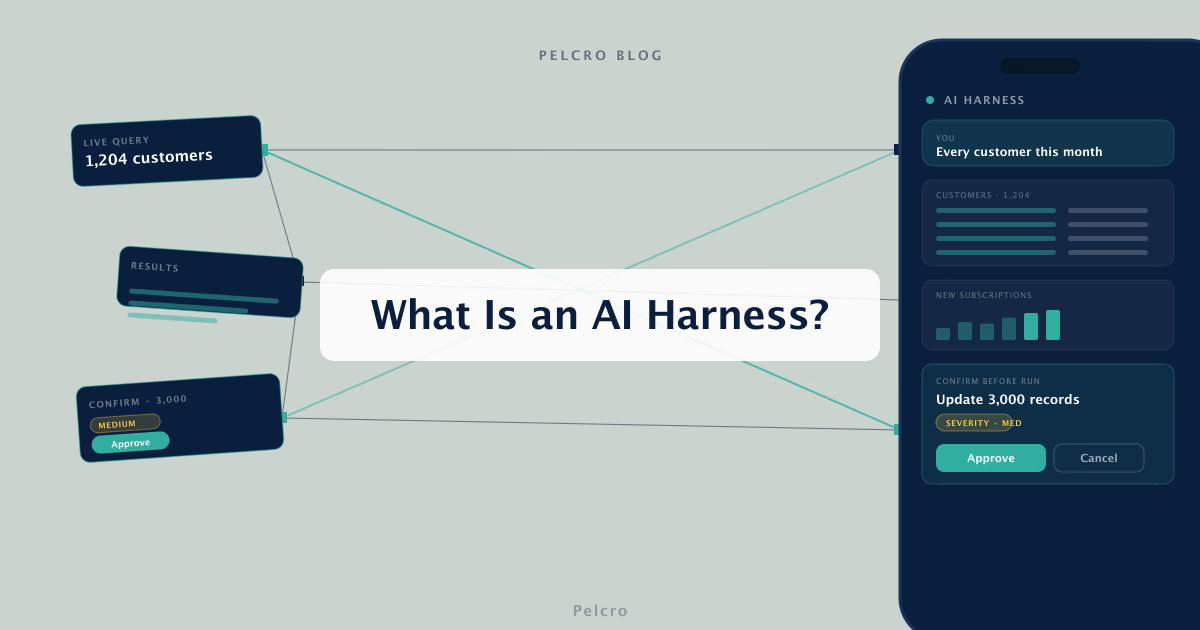
For finance and revenue operations teams managing subscriptions, most of the day disappears into manual work: filtering tables, exporting spreadsheets, and editing records one at a time.
This guide explains what an AI harness is, how it turns plain-English instructions into safe actions on live data, and how Pelcro's AI Harness handles it for subscription businesses.
The short version: an AI harness is a control layer that lets you query, create, and update thousands of records with a sentence, while every change waits for your approval before it runs.
What Is an AI Harness
An AI harness is a control layer that connects an AI agent to your live business data and lets you operate on it through natural language instead of manual tools. Instead of exporting a spreadsheet to find every customer created this month, you ask for it in plain English and get a filtered table back.
The point of an AI harness is to replace repetitive workflows, not just answer questions. It reads and writes to the systems that hold your customers, subscriptions, plans, products, and invoices, so a request becomes a real action rather than a report you still have to act on.
Traditional dashboards make you filter, export, and click through records one at a time, and raw API access needs an engineer. This kind of tool sits between those two, giving non-technical teams direct control over live data without SQL, exports, or manual filtering.
What separates a useful harness from a risky one is control. A good one previews every change and waits for a human to approve it, so speed never comes at the cost of an accidental edit.
What an AI Harness Can Do
An AI harness works in two directions: it reads your data and it changes it, always on your instruction. On the read side, you can ask questions and get answers straight from live records rather than estimates.
Live queries fetch and filter records into paginated tables, such as every customer created this month with their name and email. You can also turn those results into bar, pie, donut, or horizontal-bar charts with a written summary of what they show.
On the write side, a single instruction can run across thousands of records at once. That includes creating new objects, updating existing ones, or cancelling them, with the record count confirmed before anything begins.
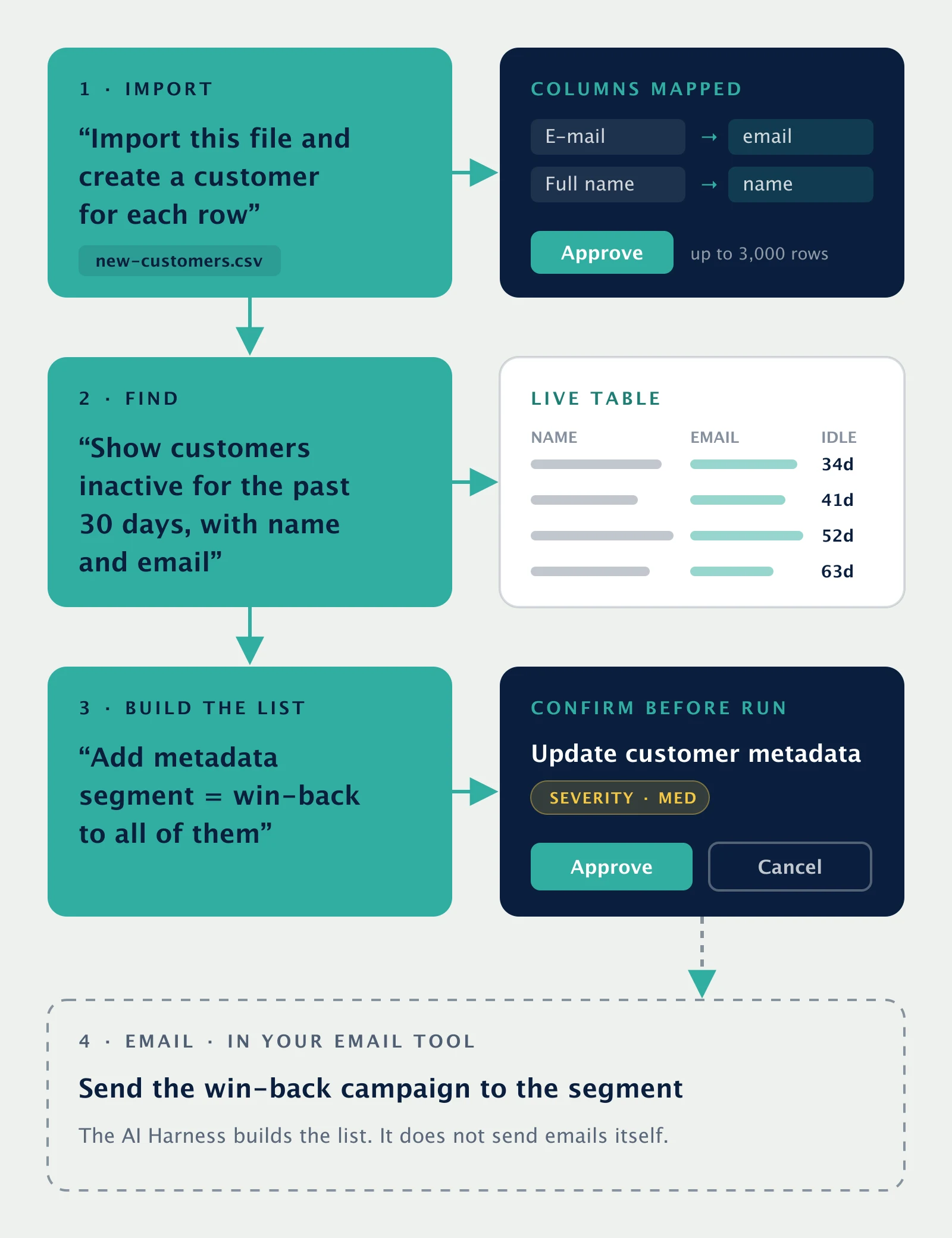
It also handles file imports. You upload a spreadsheet, the columns are mapped for you, and you confirm before a single row is written.
Nothing changes until you approve it. Every write operation shows a confirmation card with a severity level, an impact summary, and a preview of the affected records, so you always see what will happen before it happens.
Put together, those pieces cover a full workflow. You can import a file of new customers, ask for everyone who has been inactive for the past 30 days, and label that group with a metadata segment for a win-back campaign. The harness builds the list, and the email itself goes out from your email platform.
How Pelcro's AI Harness Works
Pelcro's AI Harness brings this control layer directly into the Pelcro dashboard. It operates on live data across the Pelcro Core API, from customers and subscriptions to plans, products, and invoices, so the answers and actions reflect your real account rather than a stale export.
A single operation can span up to 3,000 records, whether you are creating subscriptions, updating plans, or cancelling charges. File imports accept CSV, XLS, XLSX, and TSV files up to 3,000 rows, with the column mapping done for you. Before any write, the confirmation card lets you review and approve, and the agent never modifies, deletes, or charges anything until you click Approve.
It is also context-aware. The agent knows which customer, subscription, or invoice you are viewing and uses that for follow-up questions, so you can keep a conversation going without repeating yourself. Every answer comes from live API data.
Access stays with the account owner. The AI Harness is off by default, built on Claude via Amazon Bedrock with verified API access, and the owner grants it to collaborators one person at a time in Settings. That keeps a powerful tool in the hands of the people you choose.
AI Harness vs. AI Coding Agent
The AI Harness works on your data: customers, subscriptions, and invoices. If the change you need is on your site instead, such as a new paywall, checkout, or A/B test, that is a job for Pelcro Agent, the AI coding agent. You describe the change in a sentence, it writes valid Pelcro code, commits it to a branch, and hands you a preview link to approve or roll back.
Both follow the same rule. The AI does the work, and a person approves it before anything goes live.
Frequently Asked Questions
What is an AI harness in simple terms?
An AI harness is a control layer that lets you operate your live business data through plain-English instructions instead of manual filtering, exports, or code. It can both answer questions and make changes, and in Pelcro every change waits for your approval.
Is an AI harness safe to use on real customer and billing data?
Yes, when it is approval-gated. Pelcro's AI Harness previews every write operation with a severity level, an impact summary, and the affected records, and nothing is created, updated, cancelled, or charged until you click Approve.
How many records can an AI harness update at once?
Pelcro's AI Harness can run a single operation across up to 3,000 records, and file imports accept up to 3,000 rows. It confirms the record count before it starts so you always know the scope of the action.
What is the difference between an AI harness and an AI coding agent?
An AI harness operates on your business data, answering questions and updating records like subscriptions and invoices. An AI coding agent changes your code, such as paywalls and checkouts. Pelcro offers both: the AI Harness in the dashboard, and Pelcro Agent for paywall and checkout code, with each change committed to a branch for review.
Who can turn on the AI harness?
It is disabled by default, and only the account owner can enable it. The owner then grants access to collaborators one person at a time in Settings, and changes apply on the next interaction with no re-login.