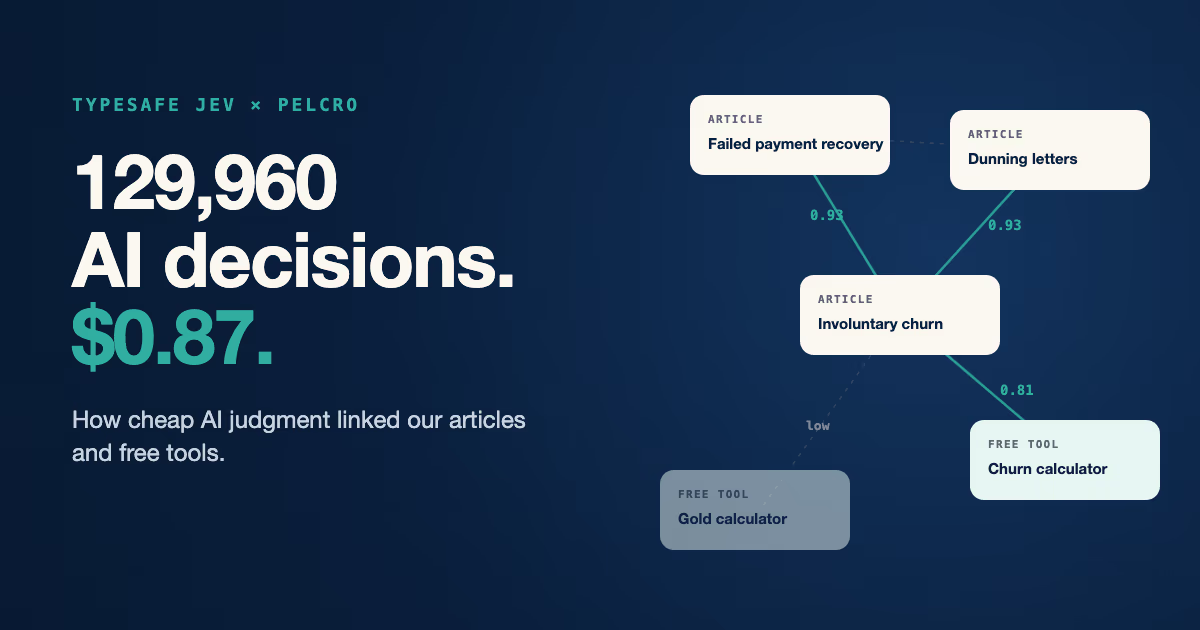
TypeSafe Jev taught us that the most useful AI for a publisher may not write a single word. Jev made 129,960 small judgments about which of our articles and tools belong together, for a total of $0.87. When a decision costs that little, you stop sampling and start asking every question.
For publishers and subscription teams deciding where AI fits, the real shift is cheap judgment, not cheap writing. This post covers what TypeSafe Jev is, what we built with it on our own site, and the lessons we would apply to any publishing workflow.
What is TypeSafe Jev
TypeSafe Jev is a small AI model that answers structured questions with probabilities instead of generated text. You give it a piece of content and ask "is this about churn?" or "would a reader of this find that useful next?", and it returns a number between 0 and 1.
Most AI conversations in publishing are about writing: summaries, headlines, first drafts. But most of the work that moves subscription revenue is a decision. Is this reader about to churn, which offer fits them, what should they read next? TypeSafe Jev is built for that second kind of work.
TypeSafe calls Jev a "System One" model, built for fast, structured decisions inside software. It handles three question types: yes or no, pick one option from a list, and score on a scale. Every answer is a probability your code can act on, so there is no prose to parse and no hedged answer to interpret.
The price is what changes the math. TypeSafe lists Jev at $0.042 per million input tokens, with output free. That is cheap enough to ask about every pair of pages on a site, not a sample.
Most related-content tools pick by similarity, not usefulness. Tag-based widgets show posts that share a tag or category. Keyword plugins like YARPP and Contextual Related Posts match shared words in titles and text.
| Approach | How it picks related pages | Cost for our 361 pages |
|---|---|---|
| Tags and categories | Pages that share a tag or category | Free, but only 46 of our 422 posts had tags |
| Keyword plugins | Pages that share words in titles and text | Free, on WordPress |
| Embeddings | Pages with the most similar text | About one cent with OpenAI's small model |
| A small general model | A judgment returned as text | Roughly $2 of input at Claude Haiku 5.5's list price |
| TypeSafe Jev | A probability for every question | $0.87, measured on our run |
Similarity is the wrong question for a Related section. The most similar page is often a near-copy, and shared words never say that a churn calculator is the next step after a churn article. Our site runs on Next.js rather than WordPress, so plugins were not an option for us anyway.
General models can judge usefulness too, and the small ones are now cheap. The difference is the shape of the answer: Jev returns a probability for every question, so ranking pages and setting a cut-off is simple arithmetic. A general model returns text you have to parse, and you have to decide what its words mean.
What TypeSafe Jev taught us
We used TypeSafe Jev to build a "Related" section for the articles and free tools on our site. We have 420 English blog posts and 31 free tools, and the links between them were chosen by hand, when they existed at all. Here is what the project taught us.
1. Ask every question, not a sample. Jev scored every page against every other page: 361 pages and 129,960 decisions. The full run took under six minutes and cost $0.87. At that price, asking everything is cheaper than the meeting where you debate a shortcut.
2. Test small before you scale. We ran our 31 free tools first, at a few cents per round. Each round exposed something to fix, like tags landing just under the cut-off or page text cluttered with form labels. Tag accuracy rose from 77% to 90% before we touched a single blog post.
3. Raw scores are not a product. Our first Related sections were right only 64% of the time on a graded sample. A few broad items showed up everywhere: our Churn Rate Calculator landed in 105 Related sections. Two near-identical conversion articles kept appearing side by side.
4. The rules on top do the real work. We capped how often any one item can appear and banned known near-copies from sharing a section. We also showed only matches close to each page's best one. Precision rose from 64% to 81% on the same set of posts, with no new calls to Jev, because we had kept every score.
5. Deciding what readers see next is a product call. Articles naturally score higher against other articles, so our free tools almost never surfaced. Reserving one slot for the best matching tool took the posts that link to a tool from 18 to 156. No model made that decision for us.
How Pelcro built it with TypeSafe Jev
The build has three steps, and each one gives Jev a single narrow judgment. Narrow questions are easy to check, cheap to rerun, and simple to explain to the rest of the team.
First, Jev tags every page against a short list of topics and audiences, such as churn and retention, paywalls, or associations. Each tag is a yes or no question, so one request returns all of a page's tags at once.
Second, for each page we send its full text and ask about every other page as a short card: title, description, and tags. That is a batch of about 360 questions per page, split into two requests to stay well under the size limit for a single request. On our tools, this used about a sixth of the tokens of comparing pages two at a time, with similar accuracy.
Here is how that played out for one page, our post on involuntary churn, from what we sent to what readers see.
“Would someone who just read this page find this one a useful next resource?”
- ArticleFailed Payment Recovery Solutions
- Free toolChurn Rate Calculator
- ArticleWhat Is a Dunning Letter?
- + 357 more, title, description and tags only
- Failed Payment Recovery Solutions0.93Article · Shown
- Involuntary Churn: How to Reduce Failed Payments0.93Article · Dropped, near-copy of this page
- Passive Churn for Publishers0.93Article · Dropped, near-copy of this page
- What Is a Dunning Letter?0.93Article · Shown
- Benefits of Subscription Management Software0.91Article · Shown
- Churn Rate Calculator0.81Free tool · Shown, tool slot
- Gold CalculatorlowFree tool · Dropped, weak match
- ArticleFailed Payment Recovery Solutions
- ArticleWhat Is a Dunning Letter?
- ArticleBenefits of Subscription Management Software
- Free toolChurn Rate Calculator
In total, one full run made 1,434 requests to Jev: 361 to tag pages, 722 to score relatedness, and 351 to check for near-copies. Together they returned the 129,960 relatedness scores and every tag, for $0.87.
Third, our own code picks what each page shows: up to four items, with no near-copies, and one free tool on an article when a strong match exists. The site reads that list when it builds, so readers never wait on an AI call. You can see the result at the bottom of our Churn Rate Calculator.
We measured before we shipped. We used Claude to grade every recommendation on a sample of 40 posts against one strict question: would a reader who just finished this page want that one next? Our bar was 80%, and the first version did not clear it.
Next, we plan to use the same map for follow-up emails. A reader who uses our churn calculator should hear about recovering failed payments, not a generic newsletter. Jev should make that kind of matching cheap enough to run on every visit.
Frequently Asked Questions
What is TypeSafe Jev used for?
TypeSafe Jev is used for fast, high-volume decisions about text: tagging content, routing requests, and scoring relevance. It returns a probability for each question, so your own code decides what happens next. We used it to tag our pages and score which ones belong together.
How is TypeSafe Jev different from ChatGPT or Claude?
General models like ChatGPT and Claude generate text, so they can explain, draft, and reason at length. TypeSafe Jev does not write. It answers typed questions with calibrated probabilities, and it is priced for millions of them. We used both: Jev made the 129,960 decisions, and Claude graded a sample of them.
How much does TypeSafe Jev cost?
TypeSafe lists Jev at $0.042 per million input tokens, and output tokens are free. Our full run across 361 pages used about 20.7 million tokens and cost $0.87. Testing on our 31 free tools first cost a few cents per round.
Can a publisher do this without a data team?
You need a developer comfortable with an API, but not a data science team. Most of our effort went into deciding what a good recommendation looks like and grading a sample against that standard. The model calls were the cheapest and fastest part of the project.