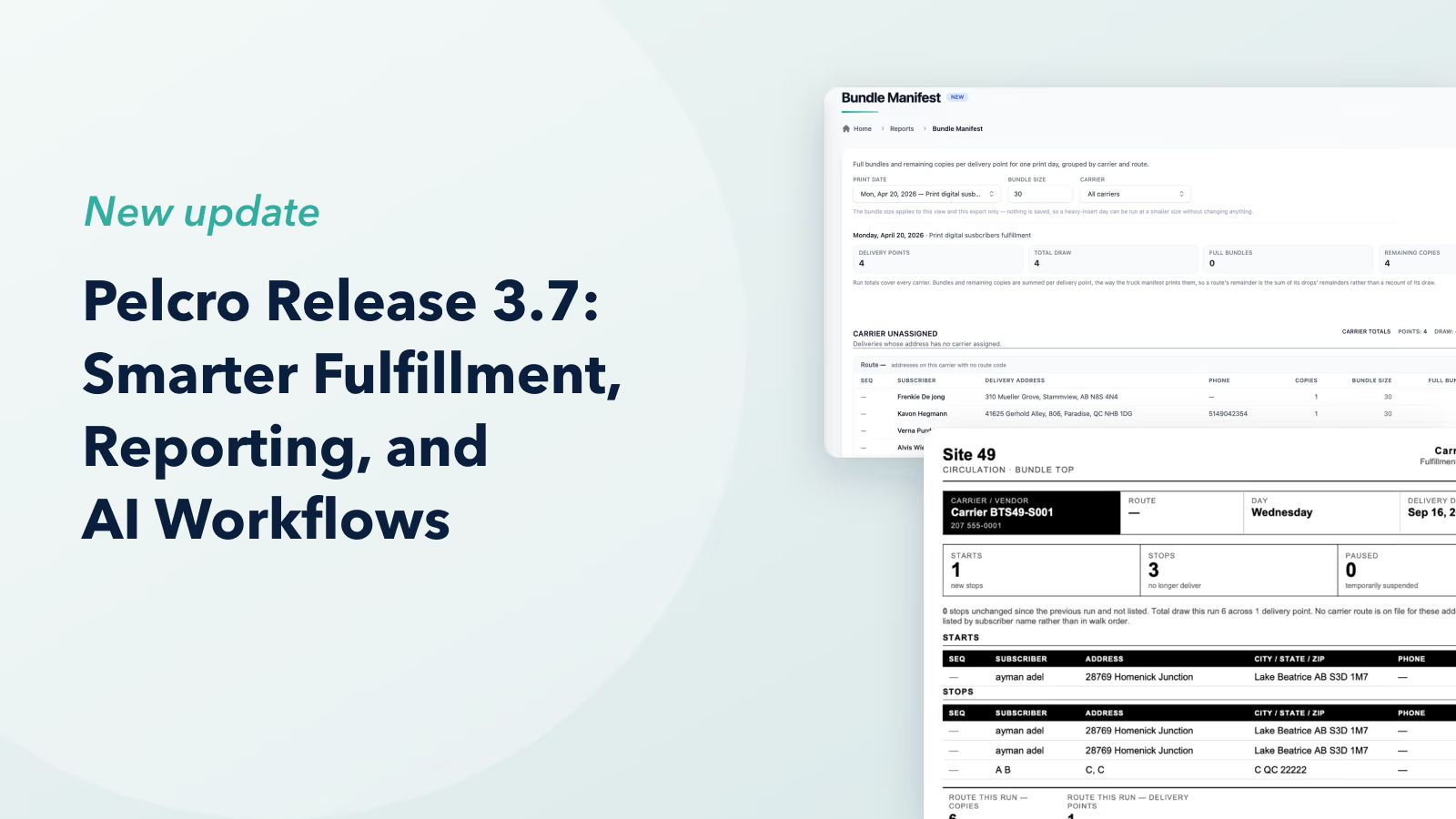
Release 3.7 (Tech Release 1.31)
🟢 Platform: Bundle Manifest Report
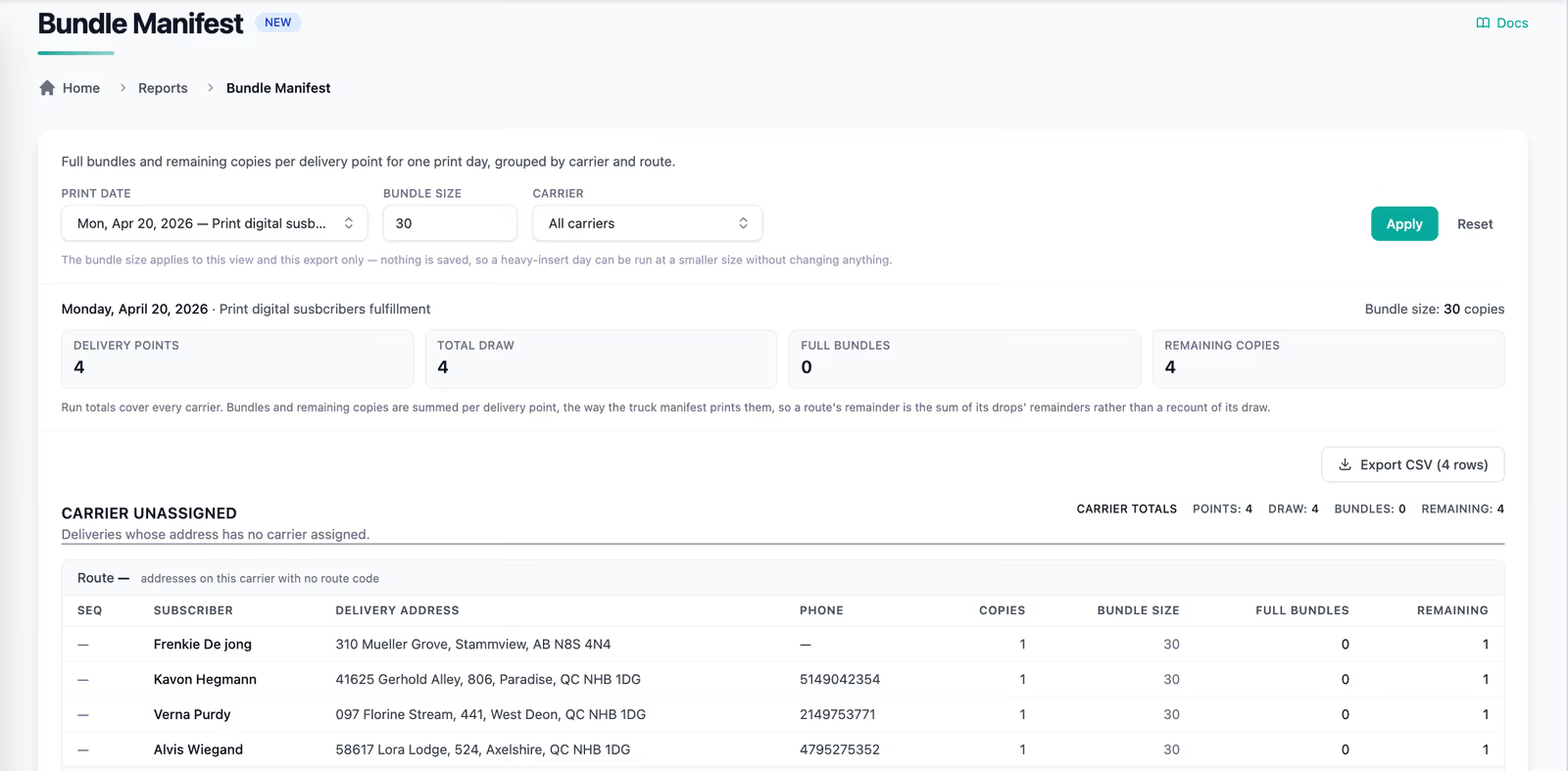
Converts each delivery point's draw into the exact number of full bundles and remaining copies needed for a selected print day.
✅ What's New:
- A new Bundle Manifest Report is available under Reports
- Select a fulfillment creation/delivery date to generate the manifest
- Results are grouped by Vendor/Carrier, with delivery points ordered by their existing Delivery Sequence
- Each delivery point shows: Delivery Sequence, Subscriber / Account Name, Delivery Address, Phone Number, Total Draw / Copies, Bundle Size, Number of Full Bundles, Remaining Copies
- Configure a default bundle size per delivery day, and override it for a specific date when heavy or large inserts require smaller bundles
- Bundle quantities are calculated automatically from Total Draw: Full Bundles = Total Draw ÷ Bundle Size; Remaining Copies = the remainder of Total Draw ÷ Bundle Size
- Totals are displayed per Route and per Vendor/Carrier
- The report can be exported/downloaded
🎯 Impact:
Distribution teams can now prepare bundles for every route directly from Pelcro, without manual calculations.
🟢 Platform: Fulfillment Activity Report
Provides a daily operational view of circulation changes across all fulfillments, organized by carrier and route.
✅ What's New:
- A new Fulfillment Activity Report is available under Reports
- The report is generic and consolidates activity across all relevant fulfillments and Bundle Tops for a selected fulfillment creation/delivery date
- Activity is grouped by Vendor/Carrier → Subscriber activity
- Supported activity types: Starts, Stops, Vacation Pauses, Restarts, Missed Deliveries
- Each activity shows the subscriber, delivery address, phone number, quantity/copies, activity type, effective/delivery date, and resume date when applicable
- Totals by activity type are displayed per Route and per Vendor/Carrier
- Missed deliveries are drawn from Pelcro's existing delivery issue data
- The report can be exported/downloaded
🎯 Impact:
District managers can now review and follow up on every circulation change with the responsible carrier, from one daily report.
🟢 Platform: Bundle Tops Grouped by Carrier with Unassigned Routes
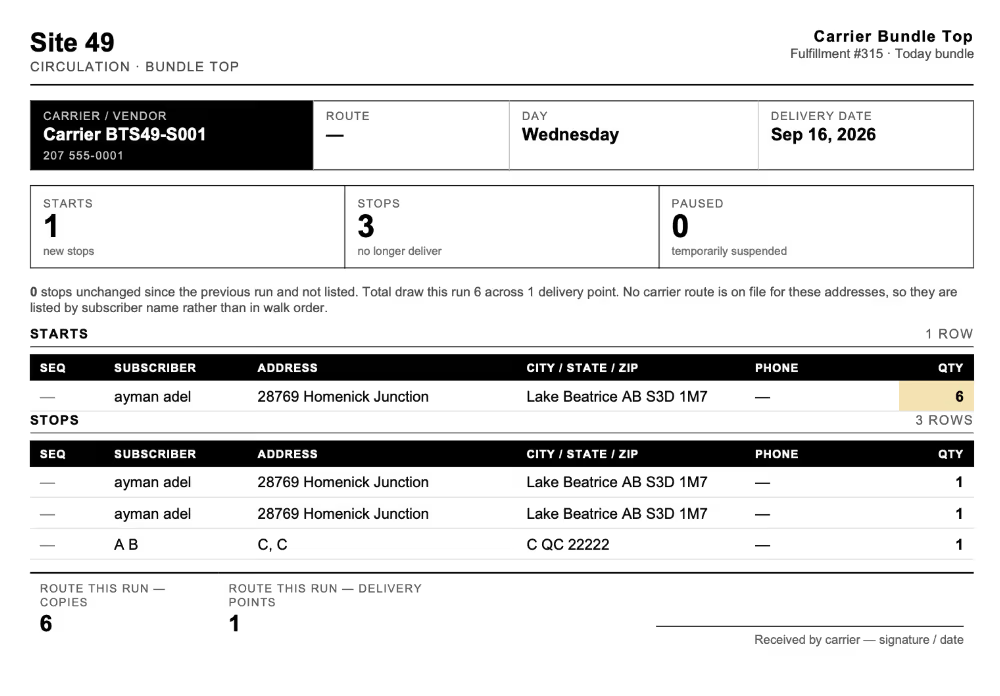
Reorganizes Bundle Tops so activity is grouped by carrier, and addresses without a route are no longer lost.
✅ What's Improved:
- Bundle Tops are now grouped by Carrier, then by activity section (Starts, Stops, Paused), then by Route
- Addresses without an assigned route appear in a dedicated Unassigned Route section under each activity type
🎯 Impact:
Carriers receive a clear, route-by-route view of their activity, and circulation teams can quickly spot and resolve unassigned addresses.
🟢 Platform: Saved Skills for the AI Agent
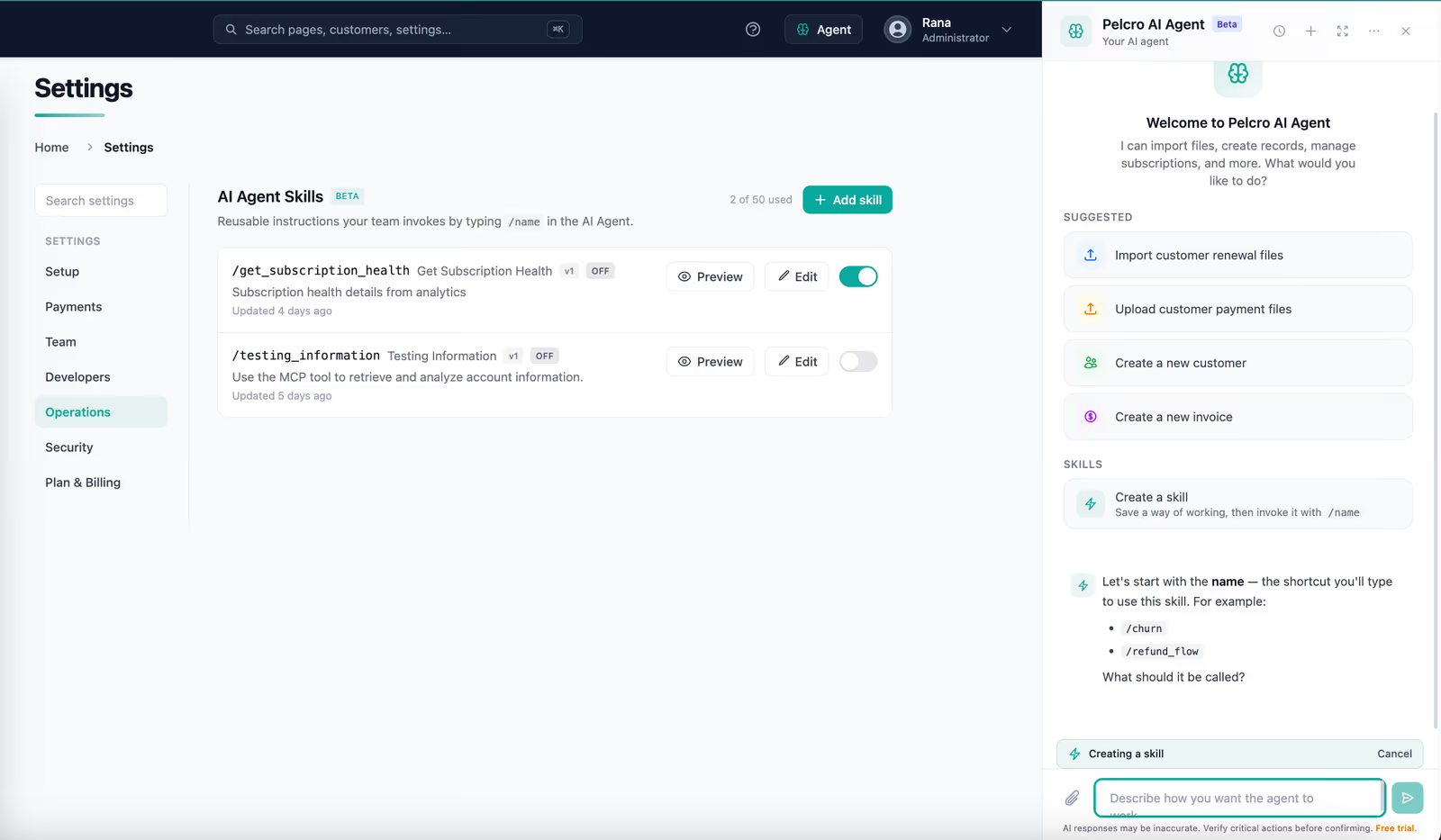
The AI Agent can now reuse saved skills — reusable rules and business processes — so recurring work no longer starts from scratch.
✅ What's New:
- Creating skills is now available under Settings > Operations > AI Agent Skills
- Save rules and processes as skills at the site level
- Saved skills are applied automatically when a new AI Agent conversation starts, with no need to re-explain them
- Skills are shared across team members on the site, so everyone runs the same reports the same way
🎯 Impact:
Teams running recurring reports get consistent results in less time, without rebuilding context.
🟢 Platform: Flexible Payment Method Removal
Customers and admins can now remove saved payment methods in scenarios that were previously blocked.
✅ What's New:
- A payment method tied only to manual-renewal subscriptions can be deleted without adding a replacement
- Admins can remove the only saved payment method on an account, including ACH
🎯 Impact:
Teams can clean up unused payment methods and fulfil customer data-removal requests, without workarounds.
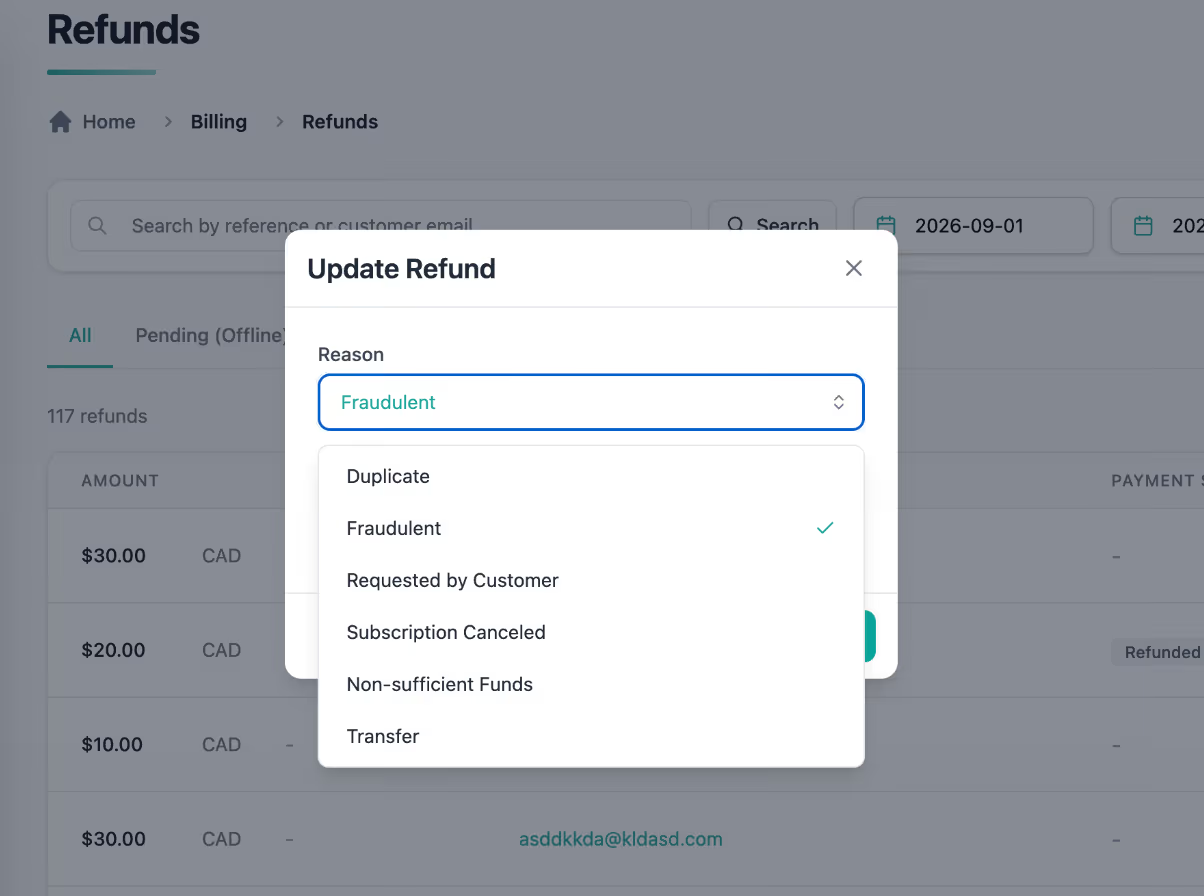
🟢 Platform: New Refund Reasons — Transfer & Non-sufficient Funds
Expands the list of refund reasons so refunds can be recorded accurately.
✅ What's New:
- Transfer and Non-sufficient funds are now available when updating a refund reason
- Both reasons are saved and displayed consistently across the dashboard, reports, and exports
🎯 Impact:
Finance and support teams can now record the true purpose of a refund, keeping records and audits accurate.
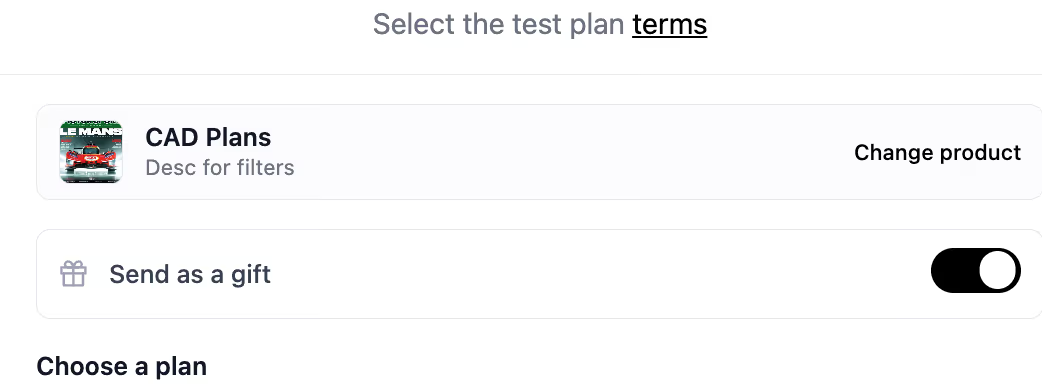
🟢 Platform: One-Step "Send as Gift" in the Default UI
Simplifies the Send as gift section of the default UI checkout into a single action.
✅ What's Improved:
- Selecting the Send as gift prompt now opts the purchase in as a gift in one step, replacing the previous dropdown-plus-toggle flow
🎯 Impact:
Gift purchasers enjoy a faster, more intuitive checkout, reducing confusion at purchase.
🟢 Platform: Sales Role Can Manage Membership Members
The Sales collaborator role can now manage membership rosters without Admin involvement.
✅ What's New:
- Sales collaborators can view, add, and remove members within an existing membership
- Sales collaborators can export a list of members for a given membership
🎯 Impact:
Sales teams can handle routine membership changes themselves, freeing admins from daily roster requests.
🟢 Platform: AI Agent Handles Long Export Ranges Automatically
Improves how the AI Agent handles export requests that exceed the 6-month export limit.
✅ What's Improved:
- Requests spanning more than 6 months are automatically split into consecutive 6-month intervals, with one export per interval
- For example, a 2-year export is delivered as four sequential exports
- Long ranges are never sent as a single request, preventing failed or incomplete exports
🎯 Impact:
Users now receive the full data they asked for in one request, without manual breakdown.
Note: This applies to date-range exports only. Export limits themselves are unchanged, and the order in which exports arrive depends on processing sequence.