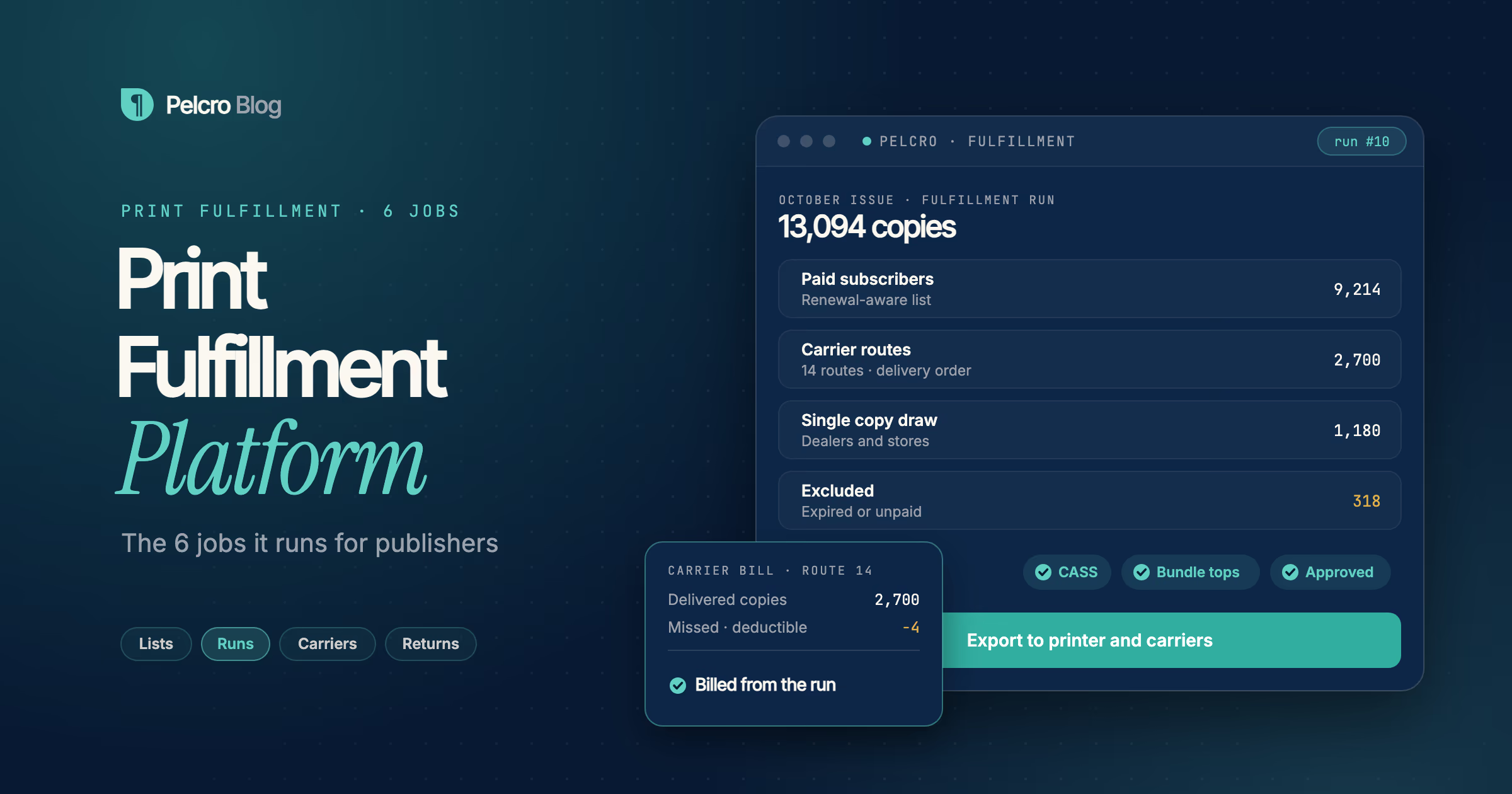
A print fulfillment platform is the software a publisher uses to decide who receives each printed issue, how many copies go where, and how every copy is delivered and billed. It runs six jobs: building the mailing list, cleaning addresses, building the fulfillment run, routing and paying carriers, managing single copy draws and returns, and reporting on the result.
This guide is for circulation, audience and operations teams at newspapers and magazines that still print. It explains what a print fulfillment platform does, walks through each of the six jobs, and shows what to look for when you replace spreadsheets or a legacy circulation system.
What is a Print Fulfillment Platform
A print fulfillment platform is the system that turns your subscriber file into a printed, delivered issue. For a monthly magazine, that means producing one clean list of paid subscribers before the print deadline. For a daily newspaper, it means a draw per carrier route, every day, in delivery order.
The platform sits between your subscription billing and the people who physically move paper: your printer, your mail house, your carriers and your retail dealers. Its job is to make sure only the right people get copies, that every copy is counted, and that every carrier and dealer is billed or paid correctly. When it works, the circulation team stops pulling lists by hand before every issue.
Many publishers still run print on a separate circulation system or a fulfillment bureau, while digital subscriptions live somewhere else. That split is where most errors come from: a subscriber cancels online but keeps getting the paper, or pays for print but drops off the list. A modern print fulfillment platform keeps print and digital on the same subscriber record, so billing and delivery can't drift apart.
The 6 Jobs a Print Fulfillment Platform Runs
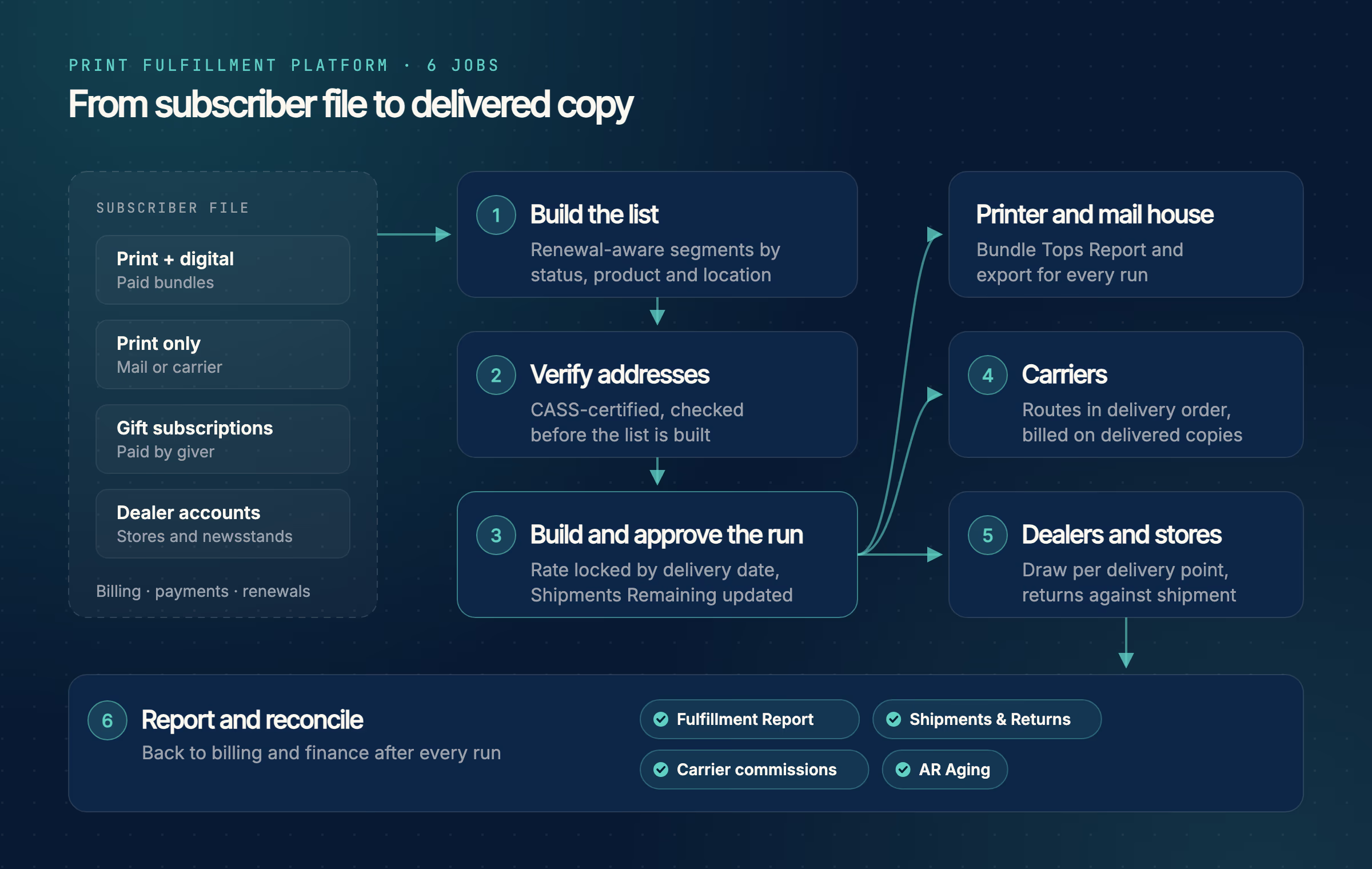
Jobs 1 to 3 happen inside the platform before anything is printed. Jobs 4 and 5 cover where the approved run goes, and job 6 closes the loop with billing and finance.
1. Build the mailing list from live subscription data
Every run starts with a list. The platform should segment subscribers by status, renewal window, product, and delivery location without a manual export.
The list also has to be renewal-aware. Expired or unpaid subscriptions should drop out on their own, and a subscriber in a payment retry should be visible before the run is approved.
2. Clean addresses before they print
A bad address costs you postage, a wasted copy and an unhappy reader. Good platforms verify addresses against USPS standards when the subscriber enters them, not after mail comes back.
Look for CASS-certified verification that standardizes the address and adds ZIP+4 and carrier route data. If you also run change-of-address processing, our guide to NCOA for publishers covers how it fits in.
3. Build and approve the fulfillment run
A fulfillment run combines one or more lists into a single shipment for an issue. Setting the delivery date should lock the rate that applies to that run.
Approving the run should update each subscription automatically, for example by reducing the number of issues left in the term. The output is a printer-ready file or report, so the mail house works from the same list your billing team sees.
Try jobs 1 to 3 on a small sample file below. Switch on each list rule, watch who drops out, then approve the run.
- Maria LopezPrint + digital · paid1 copy
- James CarterPrint · expired Sep 301 copy
- Corner Market #12Dealer draw40 copies
- Priya ShahPrint · card declined1 copy
- Daniel KimPrint · address undeliverable1 copy
- Lena FischerGift subscription · paid1 copy
- Tom ReedPrint · cancelled online Oct 21 copy
- Harbor BooksDealer draw25 copies
4. Route and pay carriers
Newspapers with home delivery need carrier management inside the platform, not in a side spreadsheet. That means delivery rules by ZIP code, street range or city, plus a delivery sequence for each address.
The platform should bill or pay each carrier from copies actually delivered, minus deductions for missed deliveries. Paying carriers by ACH batch and passing on subscriber tips saves the finance team hours every cycle.
5. Manage single copy draws and returns
Newsstand and retail sales need their own workflow. Each store or dealer gets a draw per delivery point, broken into full bundles and remaining copies.
Unsold copies come back as returns, and those returns should be logged against the shipment they came from. A good system refuses a return larger than the delivered quantity, which keeps dealer invoices honest.
6. Report and reconcile every issue
After the run, you need to know what went out and what it was worth. Expect reports on paid, arrears and complimentary copies, shipments and returns, carrier commissions, and open receivables.
These reports are what your finance team uses for revenue recognition and audits. If they live in a different system from the run itself, someone will spend the month reconciling the two.
How Pelcro Solves This
Pelcro is a print fulfillment platform built into the same system that runs your subscriptions, paywall and billing. The List Builder segments subscribers by status, renewal window, product type or delivery location, and lists exclude expired subscriptions automatically. Addresses are checked with CASS-certified USPS address verification before a list is built.
The Fulfillment Builder combines lists into a run, and the delivery date locks in the rate for shipments and returns. Approving a run decrements Shipments Remaining on each subscription. Every run produces a Bundle Tops Report, a mailroom-ready PDF with names, addresses, products and quantities for your print or mail partner.
For newspapers, Pelcro handles carrier delivery rules, delivery sequence and Bundle Manifests by route. It creates one bill per carrier from approved fulfillments, applies deduction codes for missed deliveries, and exports a NACHA payment batch. Dealers and stores are set up as accounts with their own draw, and returns are logged against the original shipment.
Reporting covers the Fulfillment Report, Shipments and Returns, carrier commissions and AR Aging. To see the full workflow, visit the Pelcro print fulfillment platform page or book a walkthrough with our team.
Frequently Asked Questions
What is the difference between a print fulfillment platform and a mail house?
A print fulfillment platform is software that decides who gets each issue and produces the list and reports. A mail house or printer physically prints, sorts and mails the copies. Most publishers use both, with the platform handing the mail house a clean file for every run.
Do digital-only publishers need a print fulfillment platform?
No. If you never ship a physical product, you need subscription and access management, not fulfillment. Publishers that sell print and digital bundles do need one, because print delivery has to follow the same billing record.
Can one print fulfillment platform handle both magazines and newspapers?
Yes, if it supports both mail and carrier delivery. Magazines mostly need clean mailing lists and printer exports. Newspapers also need carrier routes, delivery sequence, carrier billing and single copy returns.
How does a print fulfillment platform reduce wasted copies?
It removes expired, unpaid and undeliverable subscribers from the list before the run is approved. It also checks addresses when they are entered, so fewer copies come back as undeliverable.